One view of every asset, action and job
One dashboard for asset health, inspection progress and open corrective actions. Work orders, job cards and the dispatch board on the Operations plan.

How do I stop workers with expired medicals from clocking in?
People and their fitness for work in Inspecable: the live muster of who is on site, worker safety profiles with medicals, licences and certifications, the readiness gate that blocks a clock-in when something is expired, timesheets from clock events, zones, shifts and pay rules, training courses with quizzes and certificates, and contractor compliance judged on the documents on file.
Chapters, transcript and the rest of the seriesThe visibility gaps that cost you every day
Paper trails, phone calls and disconnected spreadsheets leave operations managers flying blind.
defects found on a pre-start that nobody owned until the machine stopped
time spent daily chasing field status by phone
jobs handed out from a whiteboard with no view of who has capacity or the right skills
Tools that give you control
From defect to close-out, one record, online or off.
One dashboard
Asset health score, inspection completion, open corrective actions and overdue badges in one view.
Dispatch board
Kanban, timeline and map views. Proposes who does what by capacity and skills, for a manager to approve. On the Operations plan.
Planned-maintenance register
A planned-maintenance register with overdue badges per asset, plus work orders, job cards and parts. On the Operations plan.
Escalation rules you set
A failed item raises a corrective action on the spot. Set your own escalation rules and overdue items move up the chain.
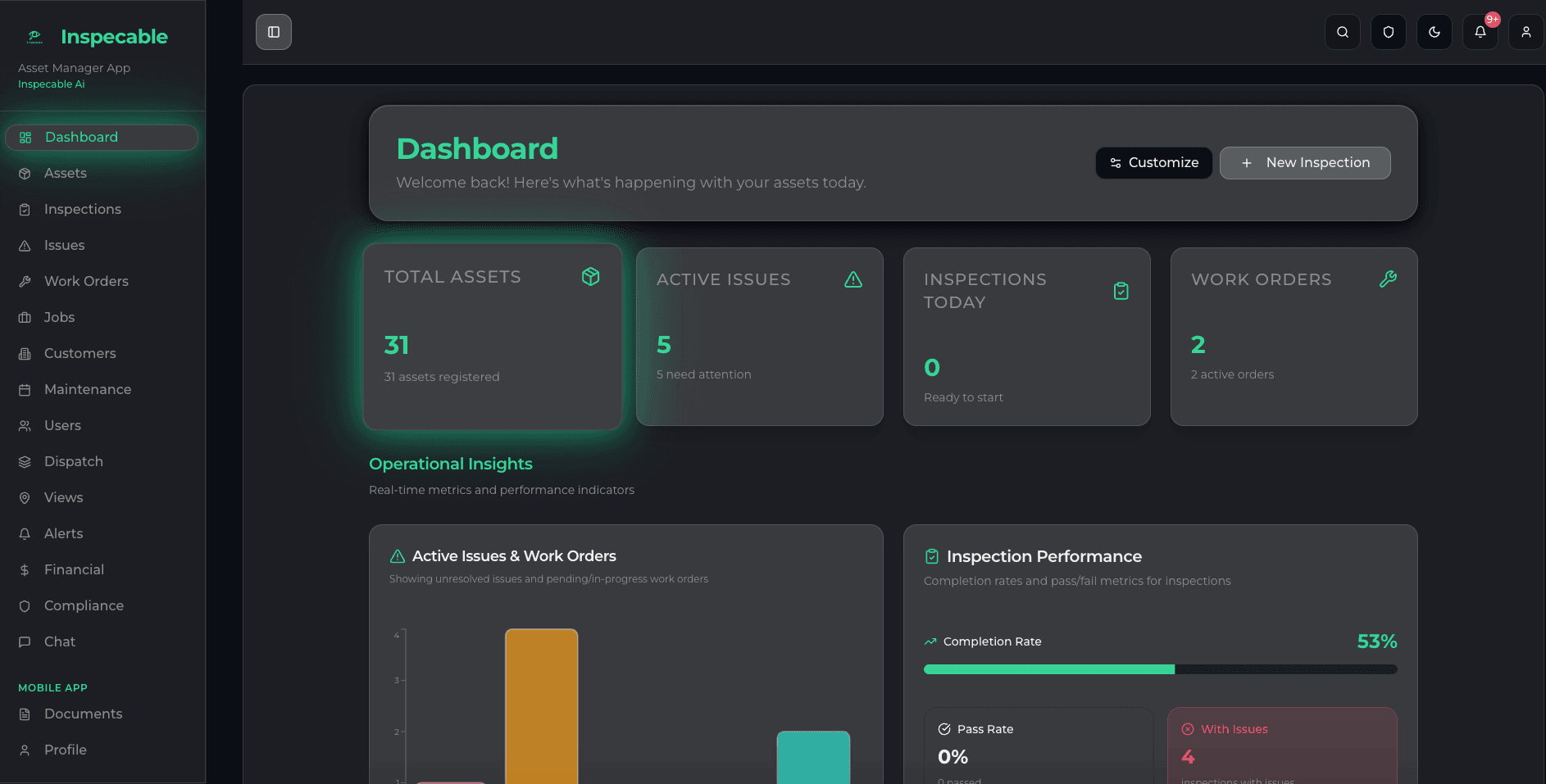
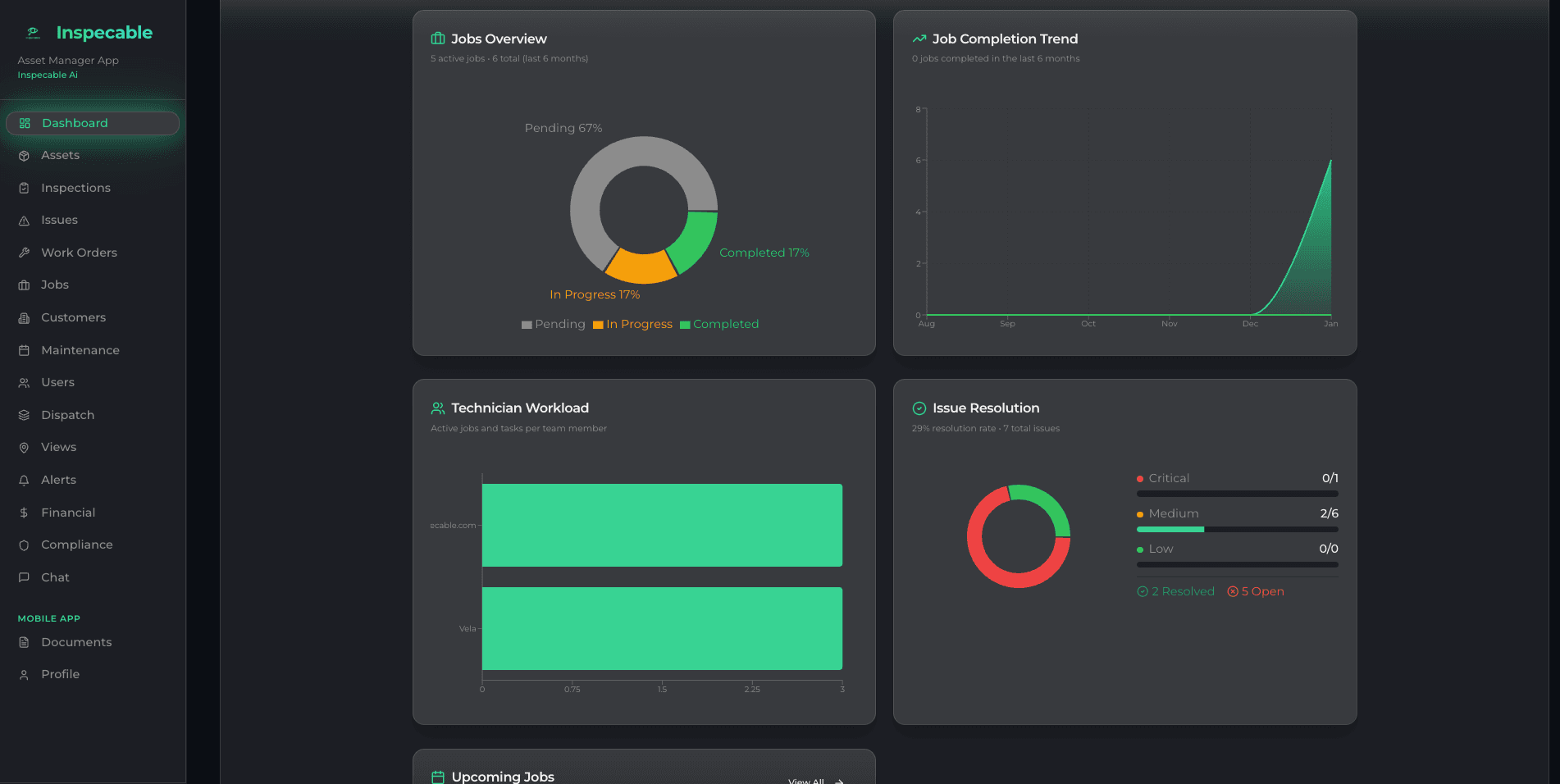
See every asset and open action at a glance
- Asset health score and inspection completion per site
- Overdue badges on inspections and corrective actions
- Dispatch board in Kanban, timeline and map views (Operations plan)
- Map of assets and people, with geofencing (Operations plan)
- Corrective actions from failed inspections; work orders on the Operations plan
From a failed pre-start to a machine back at work
Operations managers judge a system by one thing: how fast a defect found at 06:00 stops costing production. Here is one defect through Inspecable, with what the Safety & Compliance edition does and what the Operations plan adds.
- 06:00
The pre-start fails
The operator runs the pre-start on Android, at the machine, with no signal. A failed brake check raises a tracked issue with a due date on the spot, with the photo, against that machine’s record.
Free heavy equipment pre-start checklist - 07:30
The morning view
Your dashboard shows open issues, overdue corrective actions and inspection completion, with a health score per asset. You assign the brake issue an owner; anything left past its due date moves up the escalation chain you set.
The asset register and health score - 08:00
A work order, and who goes
On the Operations plan, you raise a work order from the issue with a click and assign it; the assignee is emailed. The dispatch board shows the day in Kanban, timeline, map and week-planner views, and auto-allocate proposes who goes by capacity and skills, for you to accept.
What the Operations edition adds - 14:00
Signed off at the machine
The fitter completes the work order on Android with photos and the parts used, and the parts come off stock on completion (Operations plan). The corrective action closes only with a method, evidence and a signature, so the record shows the fix, not just the finding.
- Month end
The numbers for the production meeting
The reports catalogue covers finding ageing and the corrective-action lifecycle, filtered by site, to XLSX or PDF; maintenance-due and work-order throughput reports fill in on the Operations plan. Put the time saved next to the price with the ROI calculator before the budget conversation.
Inspection ROI calculator
Where it stops: the planned-maintenance register shows what is overdue but does not create work orders on its own, and the dispatch board proposes rather than decides. Work orders, dispatch and parts are on the Operations plan, which Inspecable switches on; every trial starts on Safety & Compliance.
Operations manager FAQ
How does Inspecable help keep equipment in service?
A failed inspection item raises a tracked corrective action with a due date on the spot, so each defect has an owner before it becomes a breakdown. On the Operations plan it becomes a work order, and a planned-maintenance register shows overdue badges per asset.
Can operations managers see every job and who is on it?
Yes, on the Operations plan. The dispatch board shows jobs by status in Kanban, timeline and map views, and proposes who does what by capacity and skills, for a manager to approve. Asset health and inspection completion sit on the same dashboard.
Can I see where assets and people are?
On the Operations plan, yes. A map of assets and people, with geofencing around your sites, sits alongside the dispatch board. Everything logged in the field is tied to the asset and the site it was recorded against.
How are inspection failures escalated?
A failed item raises a corrective action with an owner and a due date, and you set your own escalation rules so overdue items move up the chain. Closure is refused without method, evidence and signature, and each action gets a signed effectiveness review.
Can I generate reports for leadership or clients?
Yes. Thirteen catalogue reports export to XLSX and PDF, every inspection has a signed PDF, and a date range exports as one ZIP with an index spreadsheet. XLSX list exports cover assets, actions and inspections.
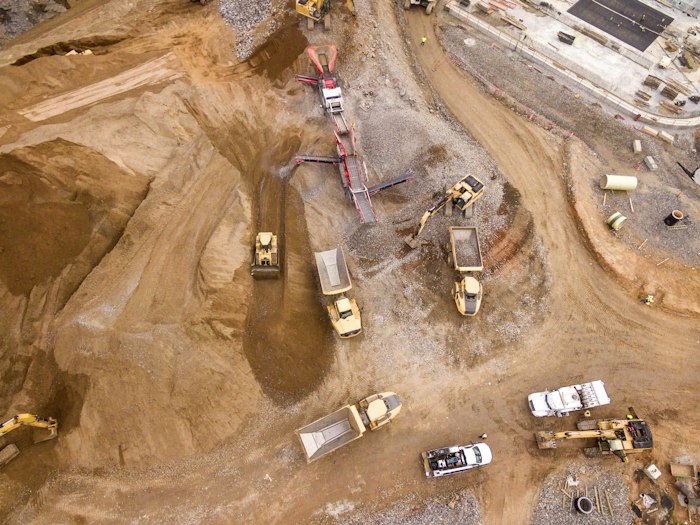


Built first for mines under the Mine Health and Safety Act and process plants under the OHS Act.
Ready for one view of your operation?
See Inspecable on your own assets and operations in a short walkthrough.