Inspections, incidents and corrective actions, closed out and verifiable.
Digital inspections on Android that work offline, incidents and near misses with photo and video, and a corrective-action register that refuses closure without evidence and a signature.

How does permit to work software enforce signatories and isolations?
Every safety process in one hub. The Safety dashboard, incident reporting and investigation, the single findings register, permits to work with signatories and validity windows, safety observations, toolbox talks with attendance, the management-system framework (objectives, legal appointments, committee, legal register, conformance), occupational hygiene exposure monitoring, and drills and health programmes.
Chapters, transcript and the rest of the seriesThe risks hiding in paper-based systems
SHEQ managers carry the consequences when inspections slip through the cracks.
an inspection that was skipped leaves no record of the hazard it would have found
an unresolved hazard can halt a section — or the whole mine
spent pulling paper records together when the inspector of mines asks for them
From the finding on site to a signed closure
Inspections, incidents and corrective actions on one register, with the records to hand over.
MHSA and OHS Act checklists
Checklists built from the MHSA and OHS Act legal-register packs, or imported by AI from your own Excel, PDF or paper form.
Incidents and near misses
Log incidents, near misses and observations on Android with photo and video, offline. 5-Whys and fishbone root cause analysis.
Photo, video and signature
Evidence captured per inspection step on the phone and attached to the record. Template logic can require a photo before a step passes.
Corrective actions
Owner and due date on every action. Closure refused without method, evidence and signature; a signed effectiveness review follows.
A verifiable history
Hash-chained history on every inspection, verifiable from the dashboard or the phone. Signed PDF per inspection; ZIP export for a date range.
Assignment with a due date
Assign a checklist to a worker with a due date. The assignee is emailed and sees it on My Day.
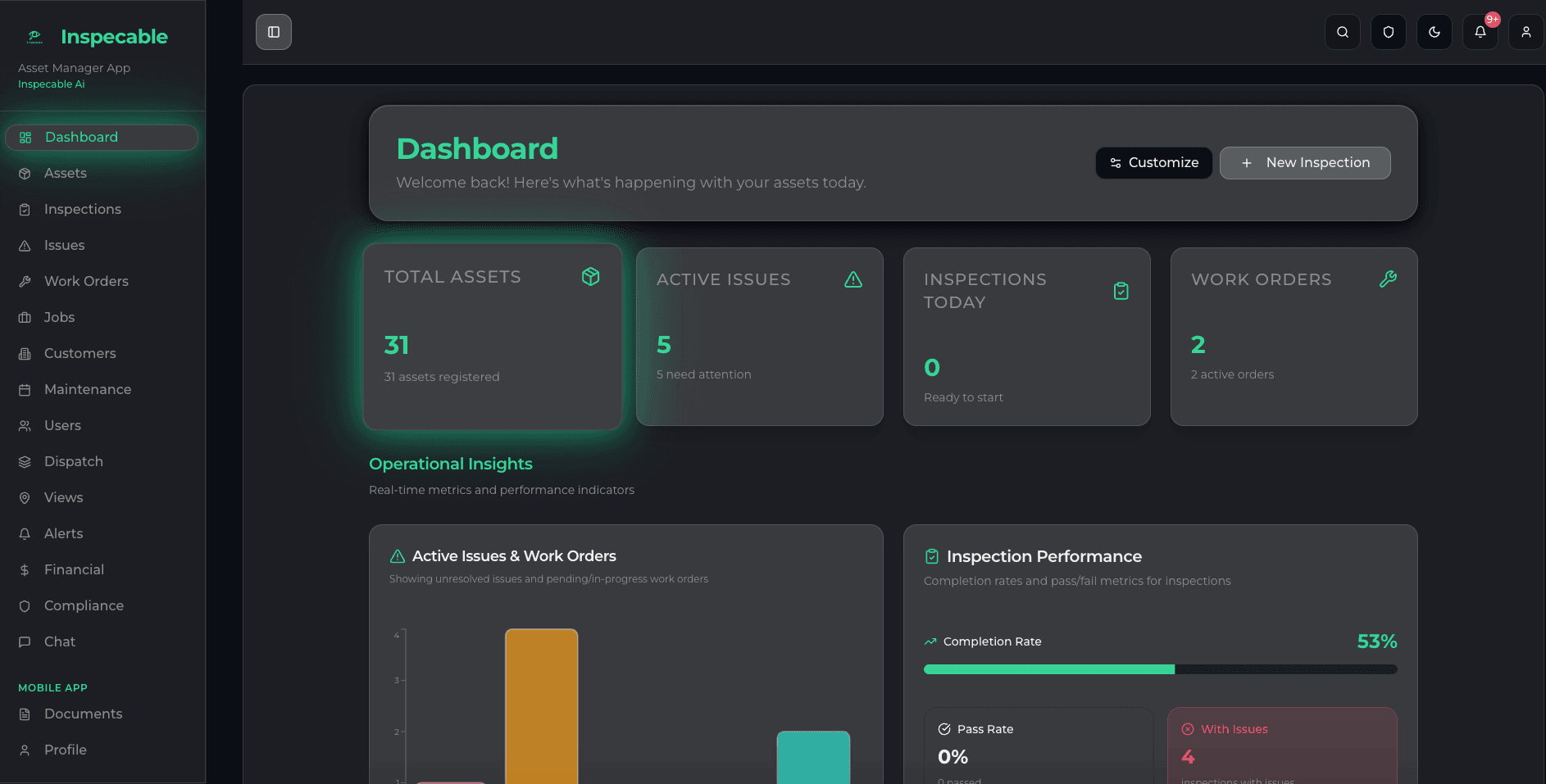
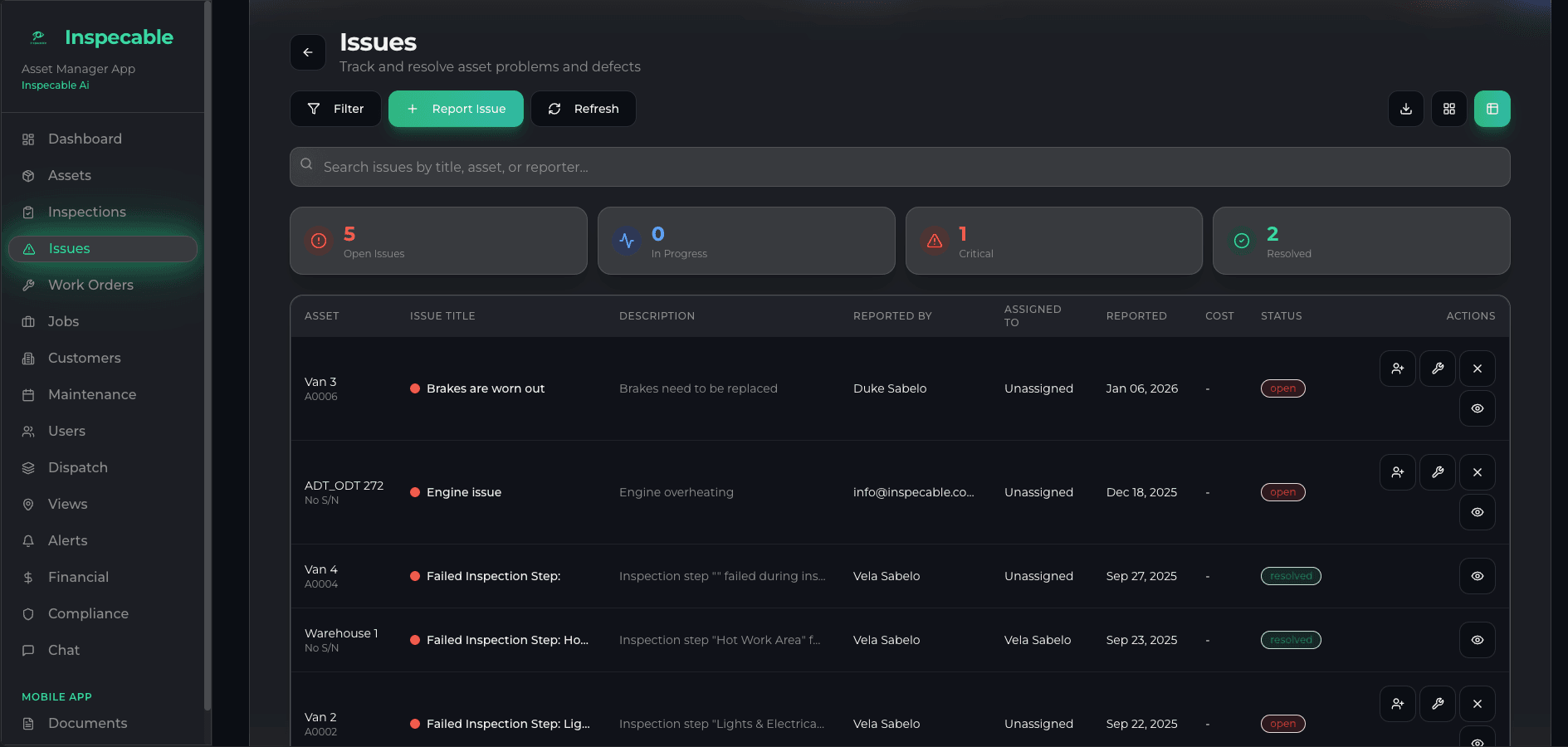
Every finding tracked from inspection to sign-off
- Open issues and overdue actions on the dashboard, each with an owner and a due date
- Set your own escalation rules and overdue items move up the chain
- Corrective actions closed only with a method, evidence and a signature
- An inspection timeline per asset, and a signed PDF for any inspection on request
Monday’s inspection list to Friday’s records request
A SHEQ manager on a South African mine or plant spends the week between three people: the supervisor who finds the problem, the fitter who fixes it, and the inspector or auditor who asks for proof. This is the same week in Inspecable.
- Monday
Hand out the week’s inspections
Assign each workplace inspection to a named person with a due date. The assignee is emailed and sees it on My Day in the Android app. Set your own escalation rules once, and anything still open past its due date moves up the chain without you phoning round.
How assignment and escalation work - Tuesday
A guard fails underground, with no signal
The supervisor fails the conveyor guard check and takes the photo. The app raises a tracked issue with a due date on the spot, offline. Back in range, it syncs, and you assign the owner on the web so it becomes a corrective action on the register.
Corrective actions - Wednesday
A near miss at the loading bay
Someone reports it from their phone with photo and video, also offline. You run 5-Whys or a fishbone on the web, decide what actions it needs, and they join the same register as the inspection findings, so one list shows everything open on the site.
Incident investigation report template - Thursday
Closing out, properly
The fitter uploads the evidence and signs. Closure is refused without a method, evidence and a signature, and the person closing an action cannot be the person it was assigned to. A signed effectiveness review follows; if the fix did not hold, a child action opens.
Corrective action register template - Friday
The records request
The inspector of mines, a Department of Employment and Labour inspector or your ISO 45001 auditor asks for the month. Export a date range of completed inspections as one ZIP, an index spreadsheet plus each signed PDF with its photos, and open any inspection’s hash-chained history to show who signed what and when. The legal register, seeded with MHSA obligations or the OHS Act pack, sits alongside.
The legal register and ISO 45001
What it will not do for you: inspections do not create the next one on a schedule, and an incident does not raise a corrective action by itself. You decide both, and the register makes sure nothing you decided gets lost.
Safety inspections across every sector


Asked before choosing
Built first for mines under the Mine Health and Safety Act and process plants under the OHS Act.
Ready to take your safety programme off paper?
Every trial starts on the Safety & Compliance edition. Bring your own checklists to the demo and see them on your assets.