What you get on Safety & Compliance, and what Operations adds
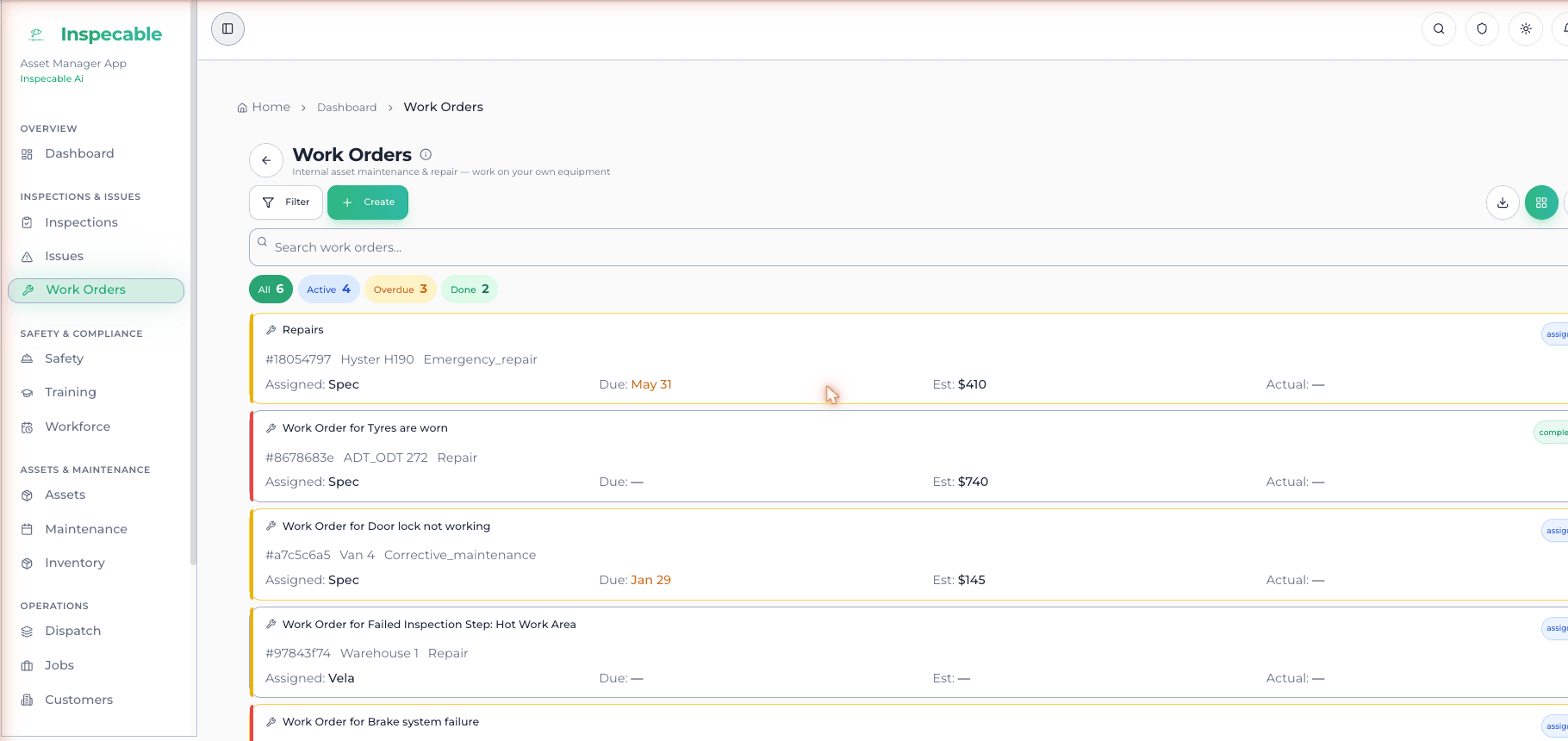
Every customer starts on the Safety & Compliance edition: inspections, incidents, permits to work, corrective actions, the legal register and the asset register, offline on Android. The Operations edition adds work orders, dispatch, parts and time and attendance, and is switched on by Inspecable.
1:55 · Welcome tour. Chapters and transcript
Included for
every customer.
The edition every trial starts on. Inspections, safety, compliance, assets and records in one system, on the web and on Android.
Digital inspections
Your own checklists on Android, offline, with photo, video and signature per item. AI imports a paper form.
Incidents and near misses
Reported on the phone with photos and video, offline. 5-Whys and fishbone root cause on the web.
Documents and training
Versions, expiry and read-and-acknowledge. Courses with server-graded quizzes and verifiable certificates.
Reports and records
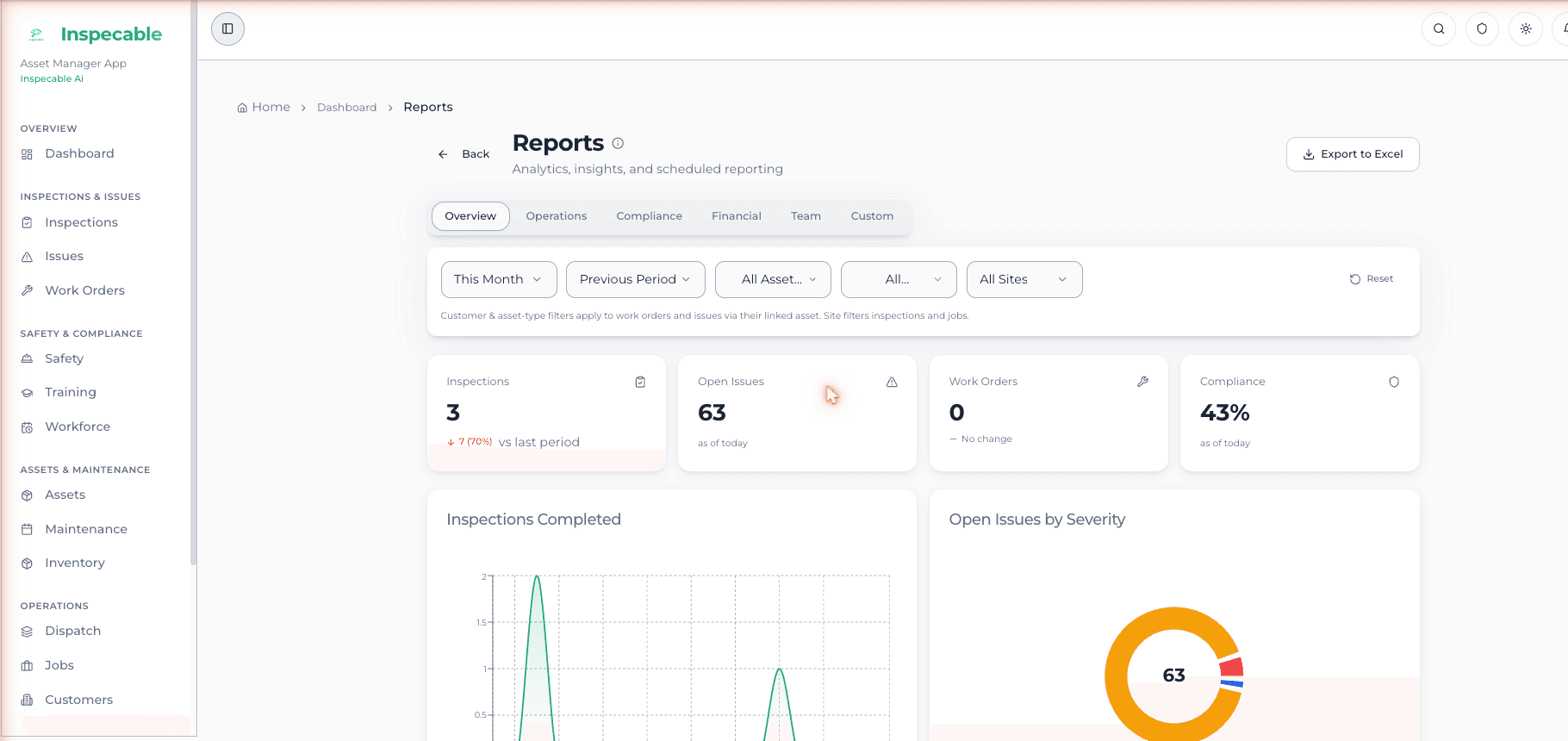
Thirteen catalogue reports to XLSX and PDF. A date range of signed inspection PDFs exported as one ZIP.
Switched on by Inspecable.
Everything above, plus the machinery to run the work. Assigned by Inspecable; not self-serve, not in the trial.
Work orders and job cards
Raised from a failed inspection or an issue by a click, assigned by email, signed off on the phone with photos and parts.
Dispatch board
Kanban, calendar and week planner. The board proposes who does what by capacity and skills, for a manager to approve.
Parts, stock and planned maintenance
Stock locations and transfers, parts deducted on completion, and a planned-maintenance register with overdue badges.
Time and attendance
Geofenced clock-in with a fitness-to-work check, a shared-device kiosk, and timesheets with approval.
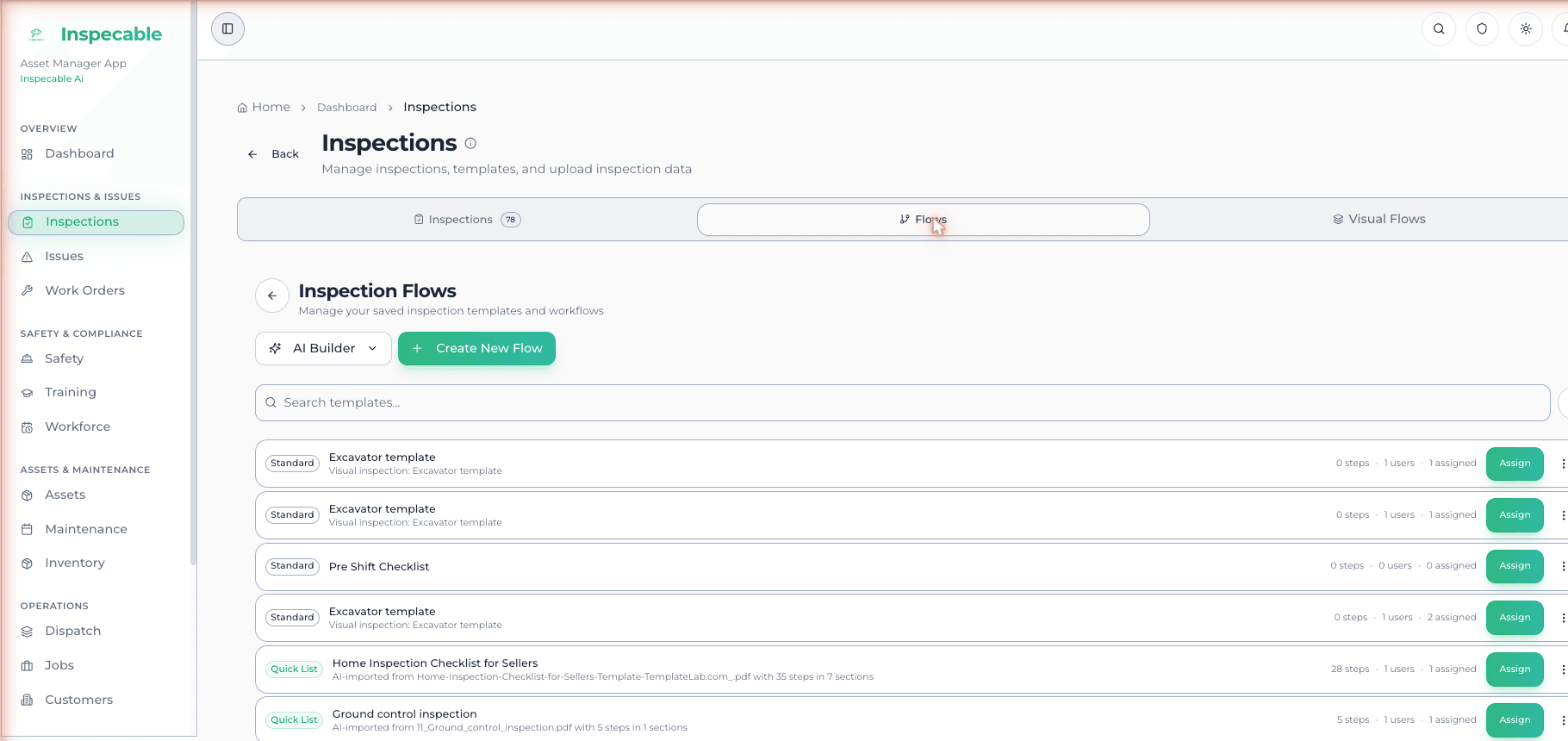
Your checklists, offline, with evidence on every item
Watch the 2:15 tour: Inspections
- AI imports a paper form from Excel, PDF or a phone photo; you review it before it goes live
- Photo, video, document and signature per item; auto-fail and require-photo rules
- Full inspections with no signal on Android, synced when the app is back in range
- A failed item raises a tracked issue with a due date on the spot
- Assign a checklist with a due date; it shows on the worker's My Day
Starting from paper? Download a free South African inspection checklist.
The inspection is not the outcome. The closed-out action is.
Watch the 2:06 tour: From finding to fix
- One register fed from inspections, incidents, near misses, observations, audits and sign-offs
- Every action carries an owner and a due date; the overdue tile shows what is late
- Closure refused without a method, evidence and a signature; the database enforces it
- The closer cannot be the assignee; a signed effectiveness review follows
- Set your own escalation rules and overdue items move up the chain
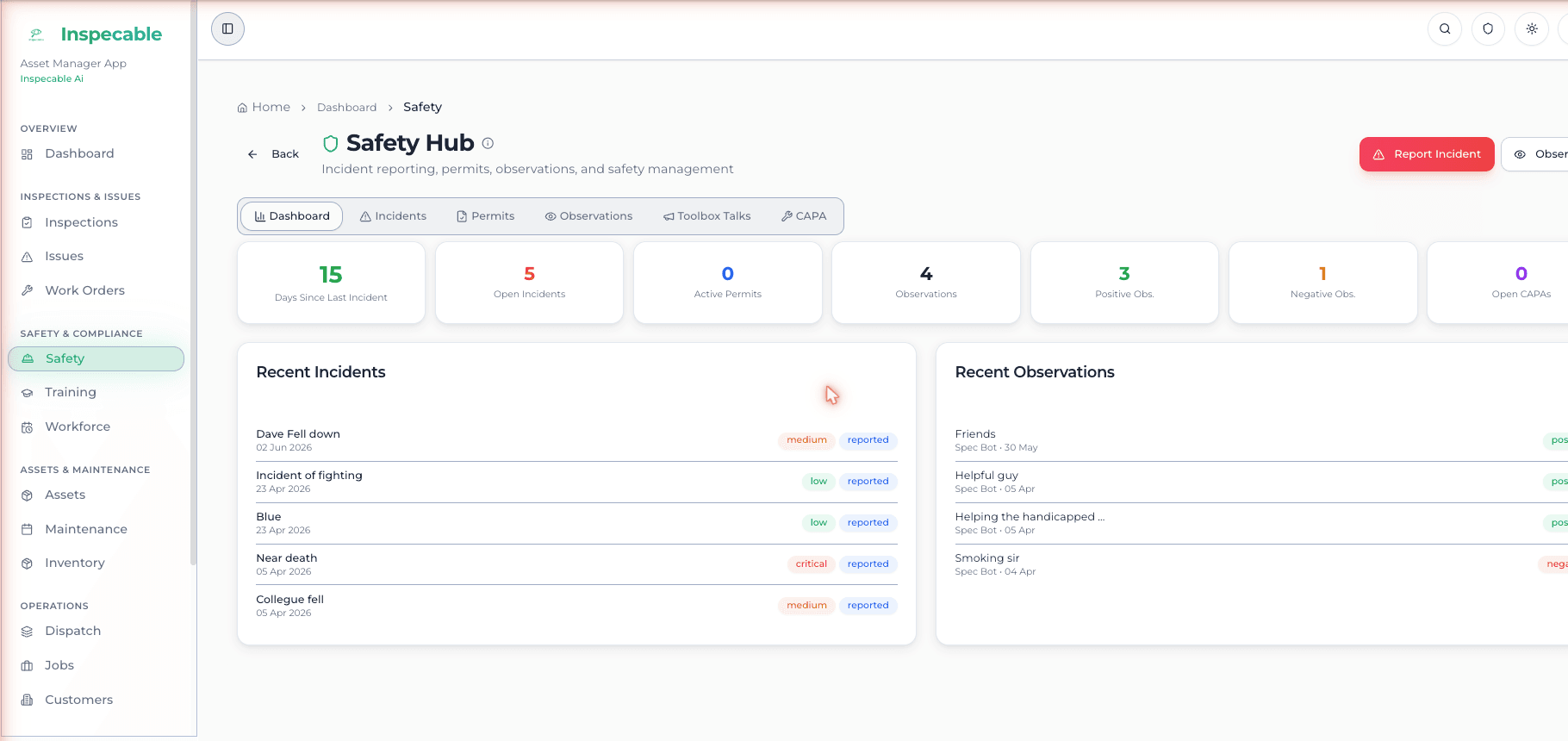
A permit cannot go active until every signatory has signed
Watch the 2:39 tour: Safety Hub
- Permit types you define; routed signatories are emailed; every isolation verified by a second person
- Lockout: a permit cannot close while a lock is on (permits are web only)
- Incidents, near misses and observations on the phone with photos and video, offline
- 5-Whys and fishbone root-cause analysis; toolbox talks with a roster; emergency drills with signatures
- Contractor compliance register with expiry dates and second-person verification
The obligations, the appointments and the conformance in one place
- Legal register seeded with Mine Health and Safety Act obligations or an OHS Act pack
- Legal appointments and committees with their records
- Clause-level conformance for ISO 45001, SANS 3000-1 and the MHSA
- Critical controls with verification due dates; compliance audits that feed the action register
- Exposure-monitoring readings against the limit you set; an over-limit reading raises a finding
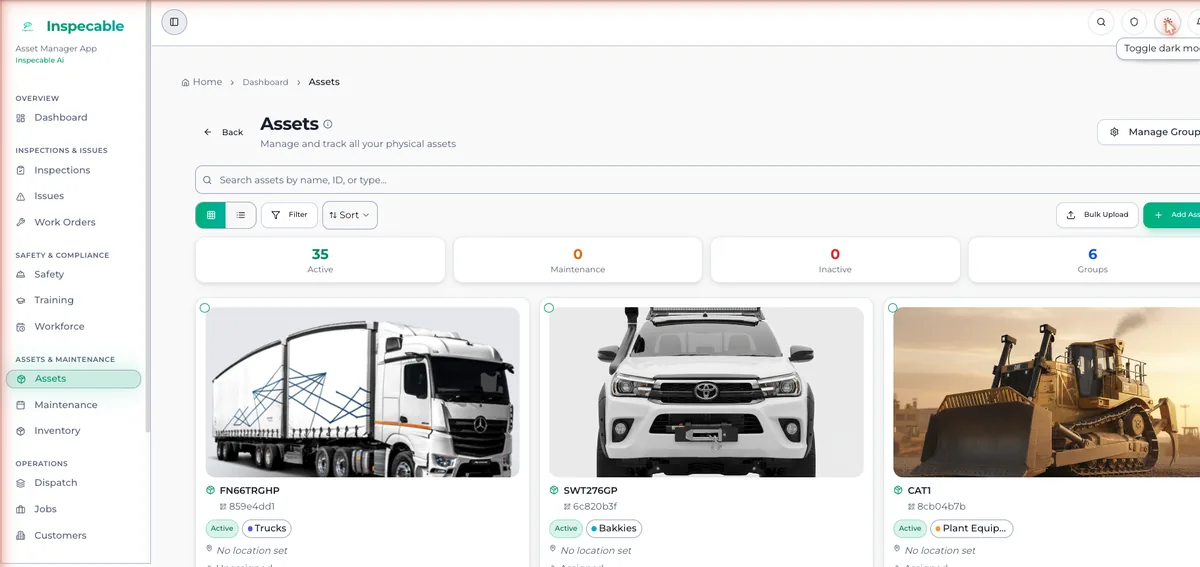
Every asset carries its own inspection history
Watch the 2:10 tour: Assets and sites
- Asset register with groups, sub-assets and custom fields; Excel or CSV import with AI column mapping
- QR label per asset; scan it to open the asset or start an inspection
- Per-asset timeline and health score built from its inspections and findings
- Isometric drawings with revision control and an issued PDF that answers "is this current?"
- CML wall-thickness readings; a reading below the minimum you set raises a corrective action
Who read which version, and who passed which course
Watch the 1:58 tour: Documents
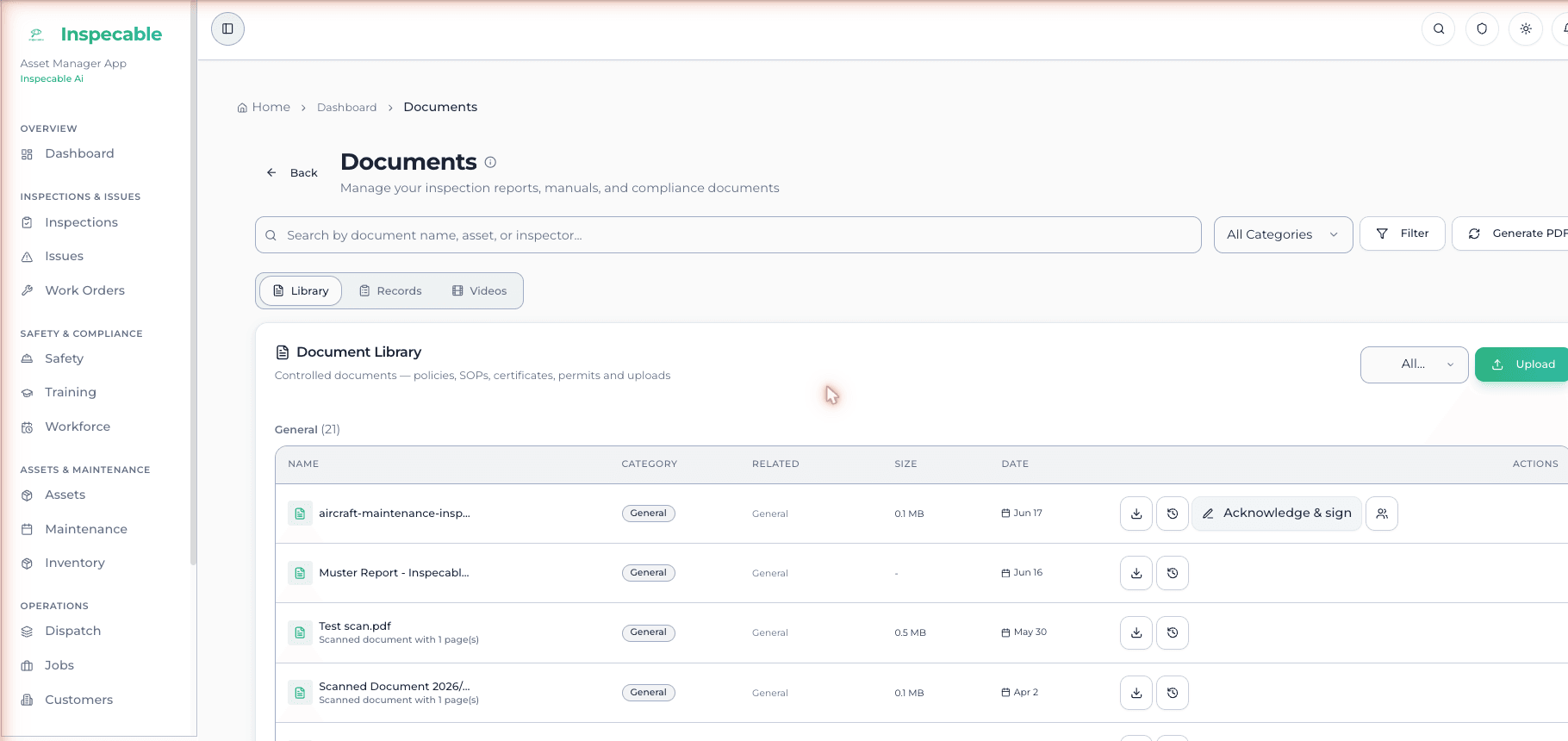
- Documents with versions, expiry badges and read-and-acknowledge by version
- Scan a paper document to PDF on Android; the current version reads offline
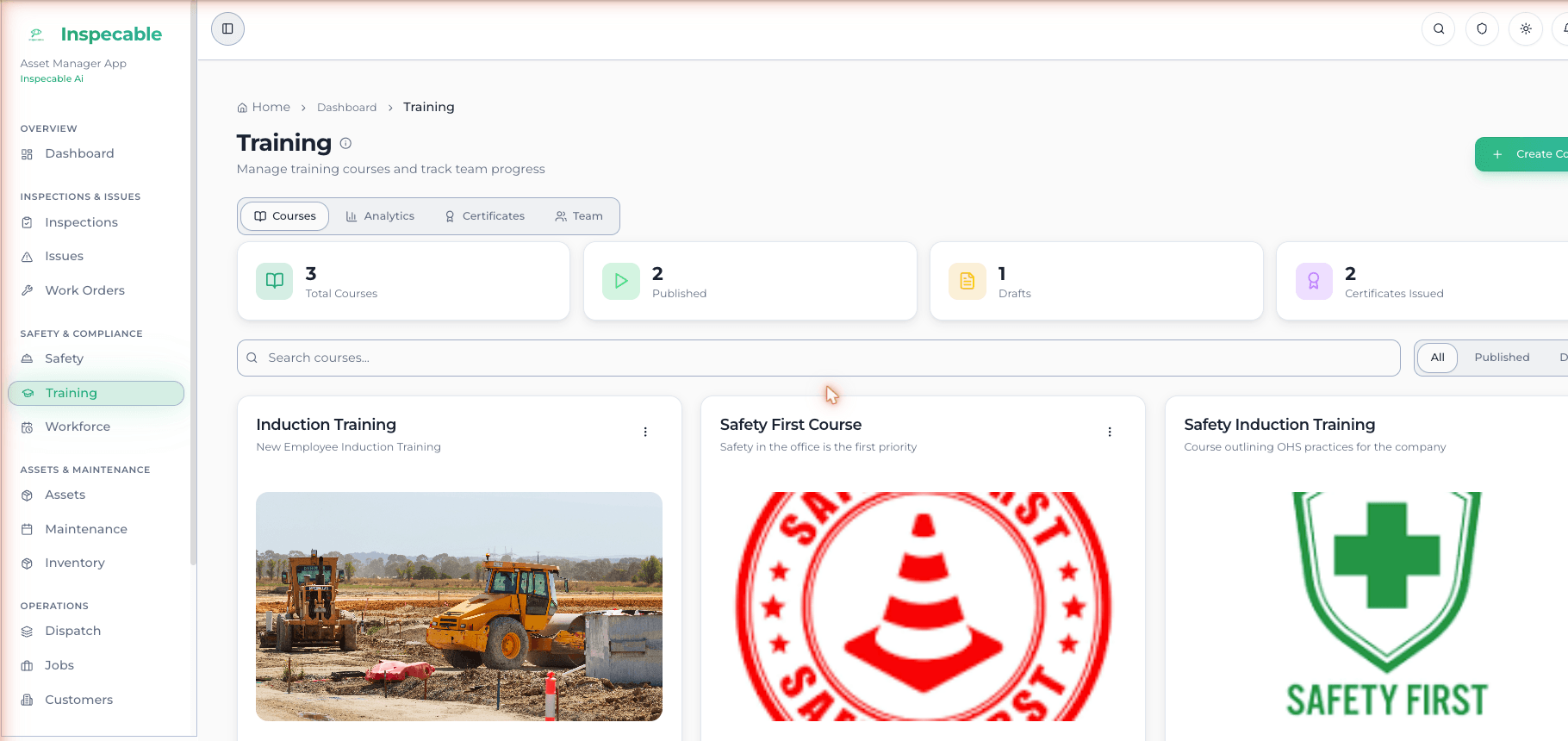
- Courses from video, documents and text; an AI-generated quiz, graded on the server
- Completion signature and a PDF certificate with a verification code
- Exportable training register by person or role
AI that works from your own records
Watch the 2:31 tour: Risk and baseline HIRA
- Checklist import: a paper form becomes a digital checklist you review before it goes live
- Standards report: a completed inspection checked item by item against the MHSA, each finding confirmed by a person
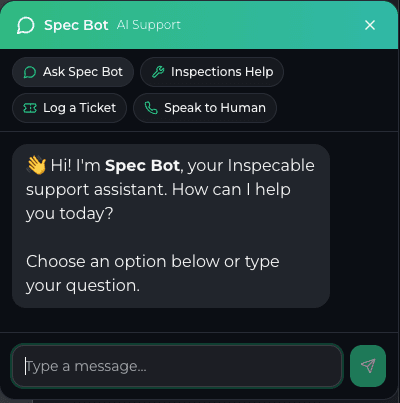
- SpecBot: an assistant on every web page and on each asset in the field app, answering from your records and manuals
- Asset import with AI column mapping; AI-generated quizzes from your course material
- Metered in AI credits at R0.35 each, billed separately from the subscription
Records you can hand over
Watch the 1:57 tour: Reports, alerts and settings
- A signed PDF for every completed inspection, with its photos
- Export a date range of inspections as one ZIP: an index spreadsheet and each signed PDF
- Thirteen catalogue reports to XLSX and PDF: finding ageing, corrective-action lifecycle, maintenance due and more
- A hash-chained history on every inspection, verifiable from the dashboard or the phone
- Inspection acknowledgement by named people, inside or outside the organisation, by email link

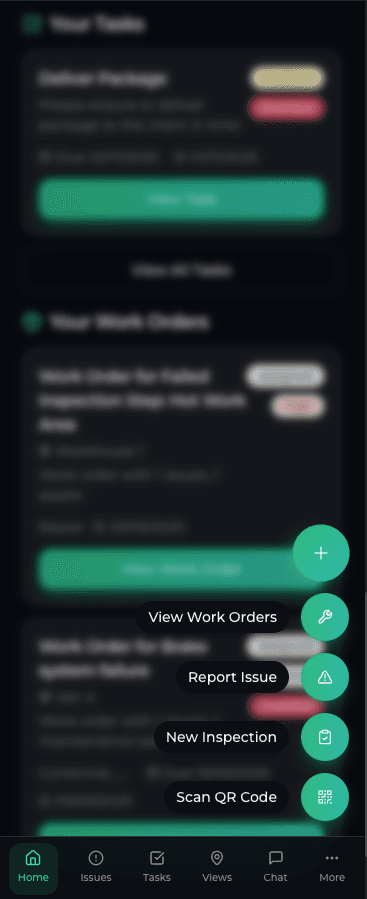
Built for no signal and gloved hands
Watch the 2:35 tour: Android field app
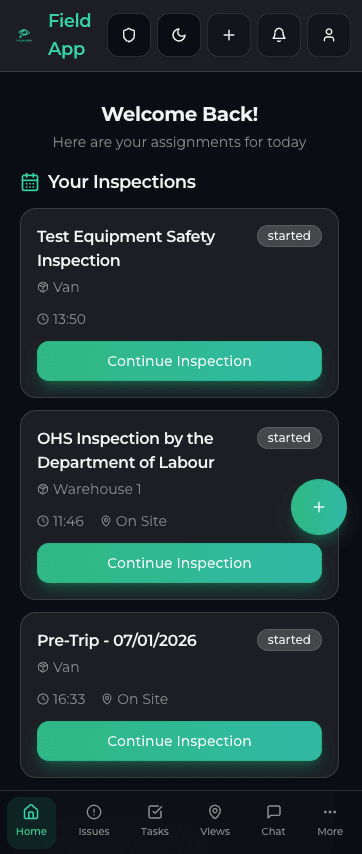
- Inspections, incidents, near misses, toolbox talks and documents with no signal
- Syncs when the app is opened back in range; one online warm-up caches the checklists and assets
- Scan a QR label to open the asset or start its inspection
- Native photo, video and document scan; on Google Play for Android (no iPhone app)
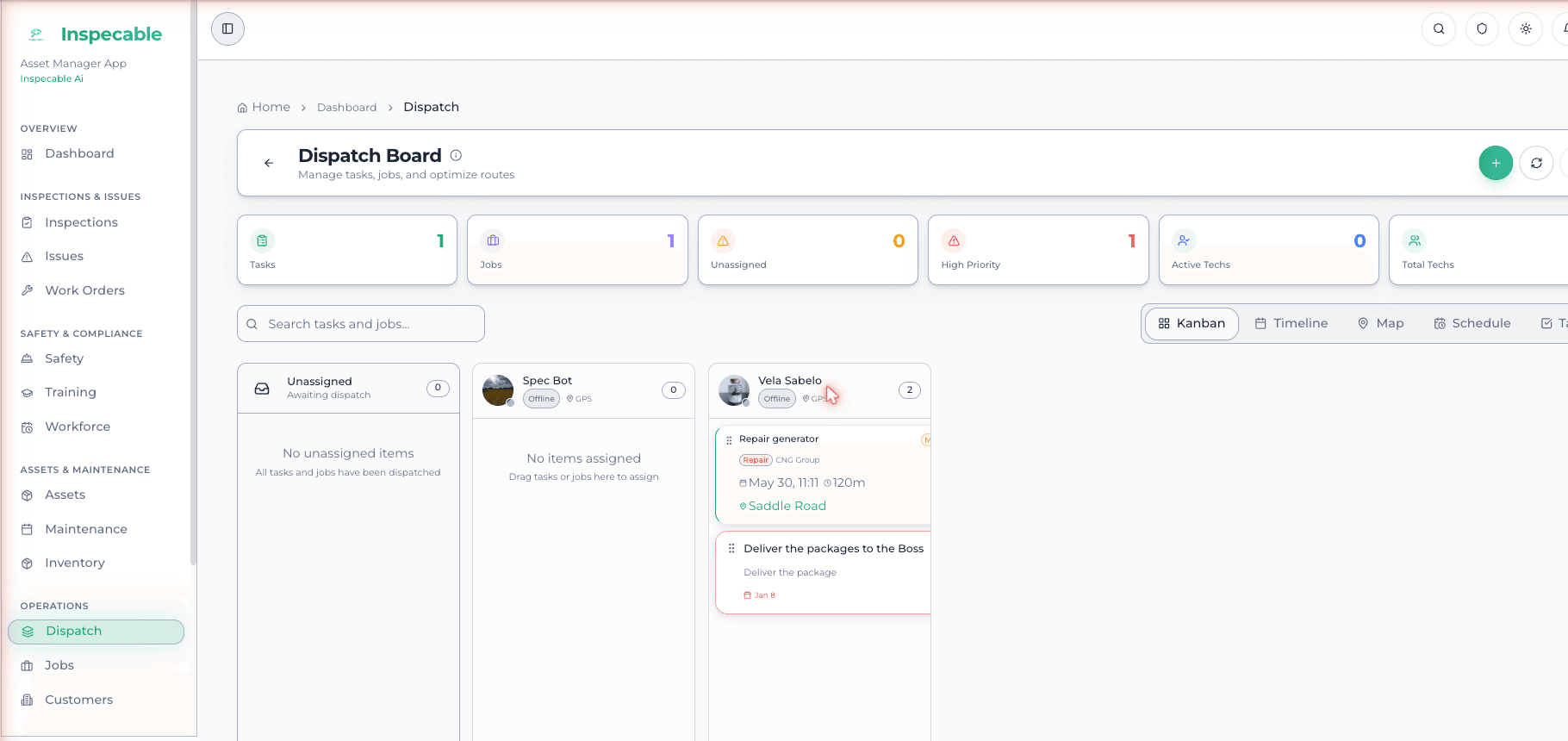
From a failed inspection to a signed-off job
Watch the 2:00 tour: Jobs, dispatch and customers
- Raise a work order or job card from a failed inspection item or an issue by a click
- Assign by email; the technician sees only their own jobs on Android
- Dispatch board: kanban, calendar and week planner; it proposes who does what for a manager to approve
- Sign-off on the phone with photos, parts used and the customer's signature
- Parts and stock with locations and transfers; a planned-maintenance register with overdue badges
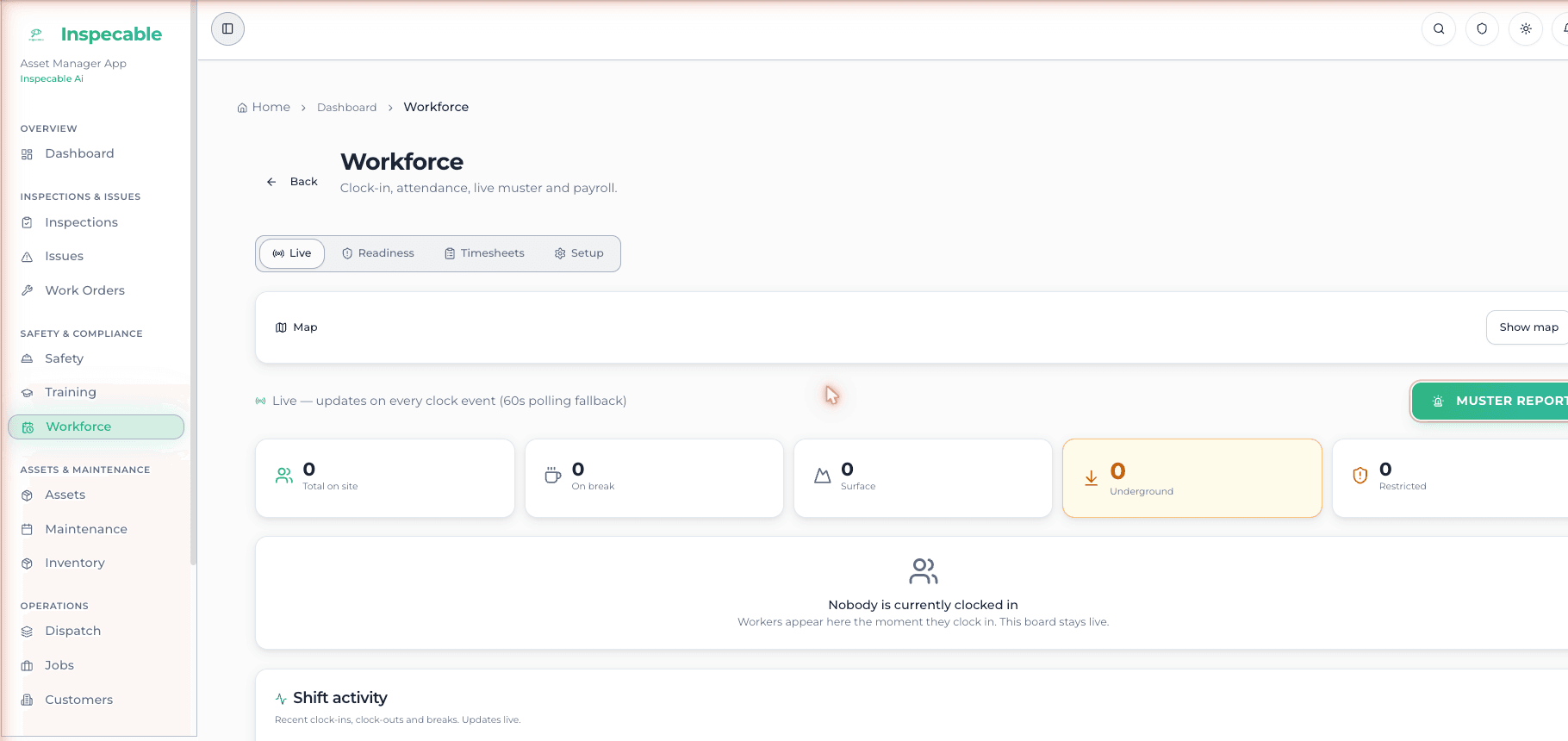
Who is on site, and fit to work
Watch the 2:21 tour: Workforce and training
- Geofenced clock-in with a selfie, offline on Android
- A fitness-to-work check on medicals, tickets and required courses: pass, warn or block, with supervisor override
- Shared-device kiosk for workers without a phone
- Timesheets with supervisor approval; a readiness board of medicals, licences and inductions
- Map of assets and people; depreciation and total cost of ownership per asset
Each organisation sees only its own data
- Multi-tenant with role-based access enforced in the database
- Roles for field users, admins, asset managers and super admins
- A verifiable, hash-chained history on every inspection
- Hosted with HTTPS throughout; built for POPIA
Asked before choosing
Start a 14-day trial on the Safety & Compliance edition
No card. Import a paper checklist, run it on an Android phone with no signal, and watch the failed item raise a tracked action.