Inspect, dispatch and close jobs without the chaos
Offline site inspections with a signed PDF per job, and records you can hand over. Job cards, dispatch and customers and sites on the Operations plan.

What does field service software look like for a South African contractor?
Customer-billable field work in Inspecable: the jobs list and the Kanban board by technician, a job record with its checklist, parts, notes, media and time, the Dispatch board for planners, and customer records with sites, assets, work orders and invoices.
Chapters, transcript and the rest of the seriesField service runs on paper
and phone calls
Whiteboard scheduling, lost job cards and reactive dispatching cost your team every morning.
spent on morning scheduling and dispatching
clients asking where the inspection report is
inspection forms that reach the office days after the job
Built for the people
running the jobs
From dispatcher to field technician, one record from job card to signed report.
Dispatch board
Kanban, timeline and map views. Proposes who does what by capacity and skills, for a manager to approve. On the Operations plan.
Job cards
Create, assign, update and sign off job cards against customers and sites, with the service history on each. On the Operations plan.
Customers and sites
A register of customers and their sites, so each job and inspection lands against the right place. On the Operations plan.
Time and attendance
Kiosk clock-in and time and attendance records per worker. On the Operations plan.
Site inspection forms
Checklists imported from Excel, PDF or a photo of the paper form, with photos and signatures on mobile, delivered as a signed PDF.
Asset history
Technicians see past inspections, open actions and manuals on the asset before they arrive on site.
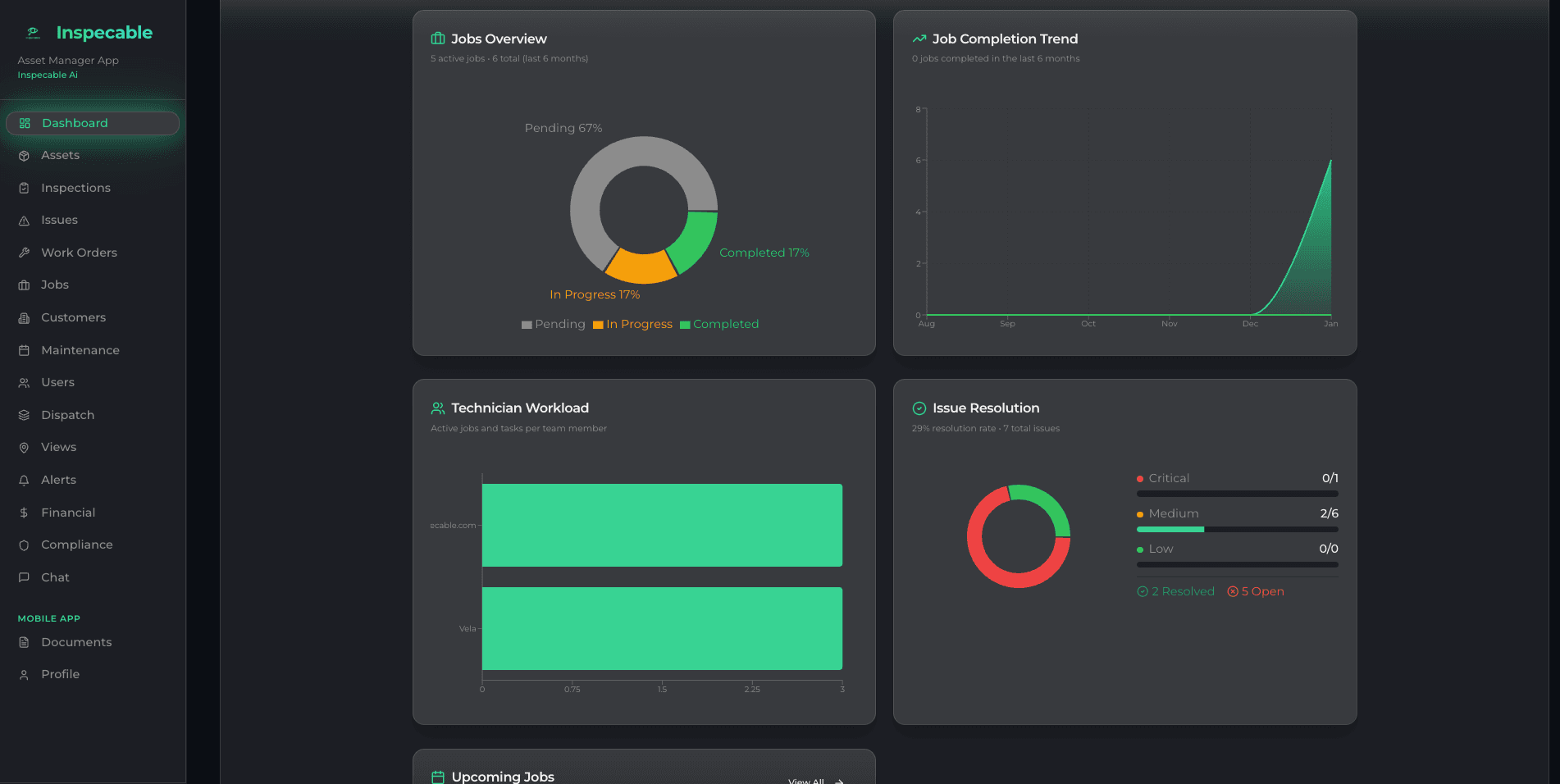
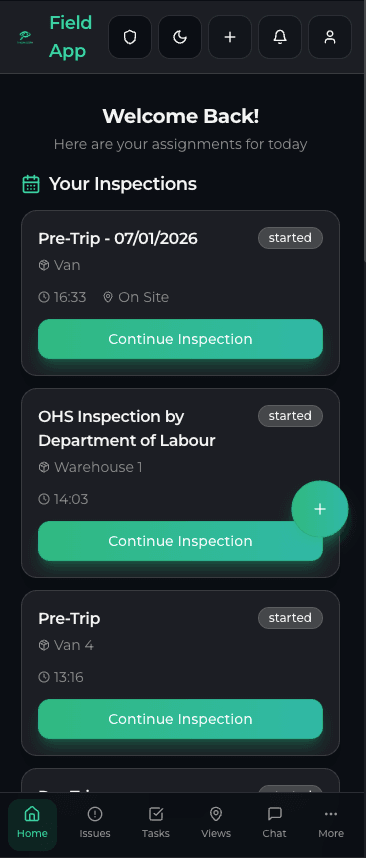
Every job, inspection and site in one view
- Jobs by status on the dispatch board (Operations plan)
- Site inspections on Android, offline, with photo, video and signature per step
- Signed PDF per inspection to send to the client
Technicians on site, paper-free
Field teams use the Android app to pick up job cards (Operations plan), complete inspection checklists, capture photos and collect client sign-offs, without calls to the office.
- Works offline underground or in low-signal areas; syncs when the app is opened back in range
- Photos and video attached to each inspection step
- Client signatures captured on the device

What you get on day one
Full inspections with no signal, synced when the app is back in range
Every inspection carries a history you can check
Safety & Compliance by default; Operations switched on for you
Per field user per month
Answers for service companies
Does Inspecable work offline for field technicians?
Yes. Technicians complete inspections and job forms on Android with photo, video and signature per step, with no connectivity. Records sync when the app is opened back in range.
Can I see job progress without calling the field team?
Yes, on the Operations plan. The dispatch board shows jobs by status in Kanban, timeline and map views, and proposes who does what by capacity and skills, for a manager to approve. Technicians update the job card from the phone.
How does Inspecable help with compliance for service companies?
Every inspection carries a hash-chained history you can verify, with who, what, when and where on each step. Export a signed PDF per inspection, or a date range as one ZIP with an index spreadsheet, when a client or insurer asks.
Can clients receive the inspection report?
Yes. Each completed inspection produces a signed PDF with photos, signatures and findings that you can send to the client. Named people can also acknowledge an inspection by email link.
How quickly can my team get started?
Every trial starts on the Safety & Compliance edition, with the Android app on Google Play and the web dashboard in any browser. Import your existing checklists from Excel, PDF or a photo of the paper form. The Operations edition is switched on by Inspecable.
Explore related solutions
Read more: how field service teams eliminate paperwork with digital inspections.
Built first for mines under the Mine Health and Safety Act and process plants under the OHS Act.
Ready to run your jobs without the chaos?
See Inspecable running on your jobs and sites in a short walkthrough.